§ How-To
Replace an Auto-Feed Spool (AF-100, Ryobi, Greenworks)
How to swap a spent auto-feed spool on the most common homeowner trimmer heads.
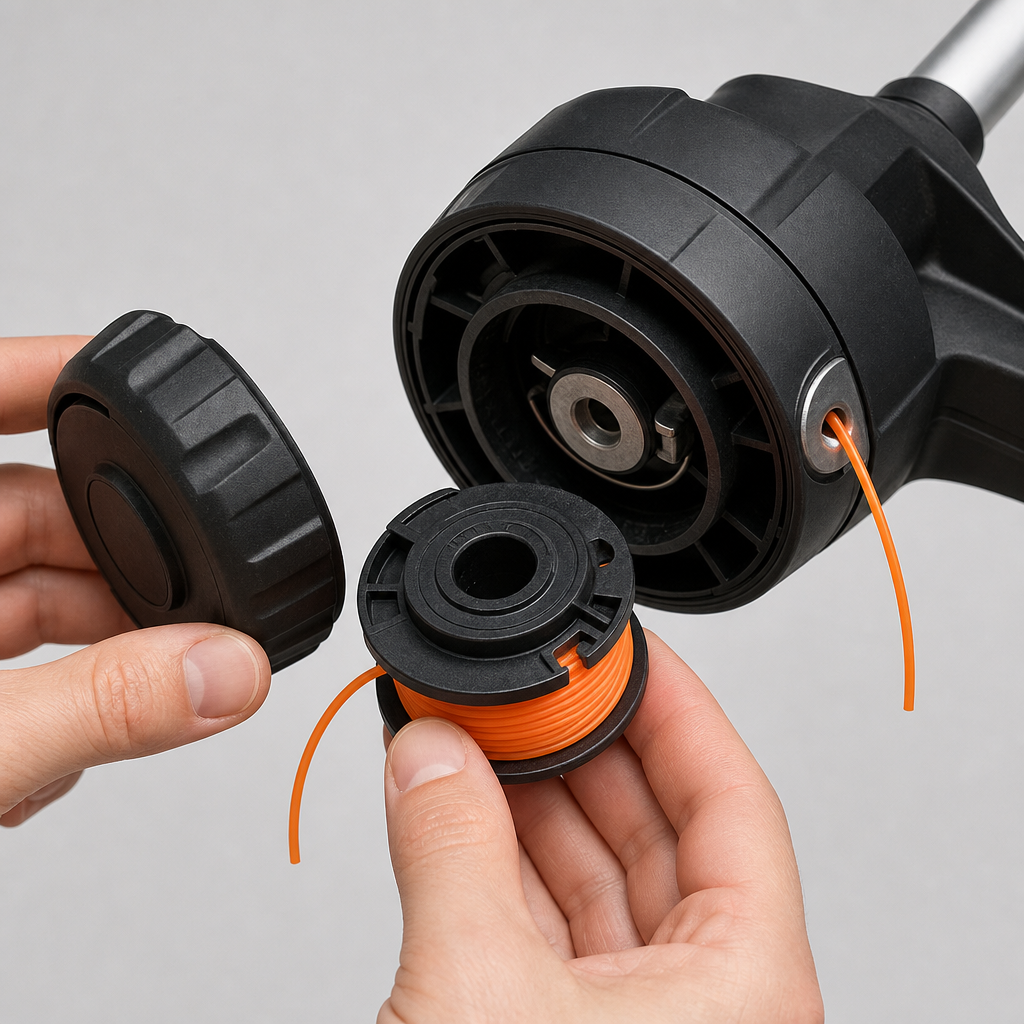
Auto-feed heads (Black+Decker AF-100, Ryobi AC14RL3A, Greenworks 29252) make spool swaps tool-free.
1. Power down
Pull the battery or unplug. Never service a trimmer head with power connected.
2. Release the cap
Most caps release with two tabs you squeeze inward, or a quarter-turn. Pull the cap straight off and lift out the old spool.
3. Clear the head
Wipe out grass packing and check the eyelets aren’t worn through — a sharp eyelet edge shreds line. Make sure the feed spring (if any) is still seated.
4. Seat the new spool
Thread the line end(s) through the eyelet(s), drop the spool onto the post matching any locating tabs, and press until it clicks. Replace the cap.
5. Test feed
Power on and tap the head on the ground (bump-feed) or let the auto-feed pay out. If it doesn’t feed, the line gauge is likely wrong or the spool is wound the wrong way.
Find the exact spool for your model on the brand pages.